
Get a VPN for TV and Stream More Securely
Don’t broadcast your viewing habits – add more privacy when you stream with PIA VPN
- Connect to high-performance 10-Gbps servers
- Reduce buffering caused by activity-based ISP throttling
- Use your existing streaming subscriptions more privately
- 30-day money-back guarantee for new subscribers

Get a Smart TV VPN for Your Favorite Devices


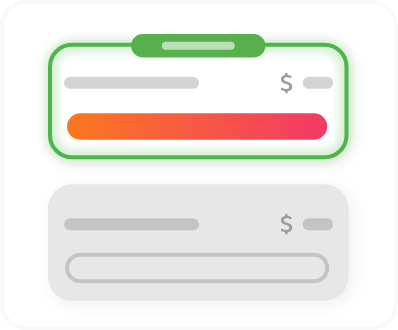
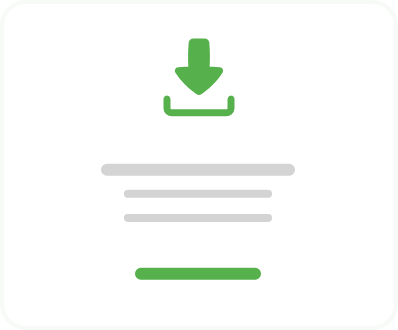
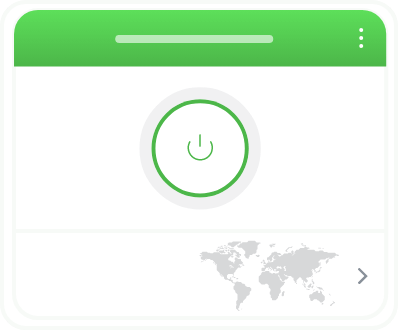
Add a VPN to Your TV Setup in 3 Simple Steps
Add a VPN to Your TV Setup in 3 Simple Steps
It only takes a few minutes to set up the PIA VPN app on a compatible smart TV
Step 3
Choose a VPN server and start watching.
How to Get a VPN for TV on Samsung, LG, Roku, and More
Some smart TVs – like Samsung, LG, and Roku TVs – can’t run VPN apps. That doesn’t mean you have to leave your TV unprotected, though. Here are some alternative TV VPN options:
- Use a router VPN: Install PIA VPN on your compatible router to protect your TV and every other device connected to your home network.
- Share via Ethernet: Connect your TV to your computer with a network cable, select a PIA VPN server, and turn on internet sharing.
- Create a VPN hotspot: On your computer, connect to PIA VPN, turn on your Wi-Fi hotspot, and share the connection with your TV.

Why Download a VPN for Your Smart TV?
Stream With More Privacy
Make your weekend binge sessions hard for your ISP to detect when you connect to a VPN server and encrypt your smart TV data. This helps prevent your internet provider and others on your network from seeing your activity and building a profile or log of your viewing habits.
Be Safer on Shared Networks
Lock down your TV’s connection on public Wi-Fi. Landlord-provided internet, dorm networks, and Wi-Fi for house shares often have basic security, and you can’t always tell who else is connecting to the unsecured network. Turn on PIA to limit what other users can see about your streaming habits.


Avoid Streaming Interruptions
Skip the blurry pictures, split-second time jumps, and buffering wheels caused by activity-based ISP throttling. When PIA encrypts your connection, it makes it harder for your ISP to tell streaming traffic apart from other traffic. Pick a server close to your location to reduce the distance your data travels for more reliable performance.
Add a Layer of Security to Your TV
Reduce your exposure to certain kinds of cyberattack that target your smart TV when you change your IP address and encrypt your connection with PIA VPN. Smart TVs often get fewer security updates than phones or laptops, which can increase security risks. A VPN helps add a layer of network privacy.
Shake Off Ad Trackers
Reduce targeted advertising when you mask your IP address with PIA. This obscures one of the signals that advertisers use to build an online profile, serve you ads, and follow your activity across platforms. Your TV may still track what’s on screen, though. You can turn off viewing data sharing in your privacy settings for good measure.
Cover Your Whole Setup
Take your privacy from the big screen to the small one. Start a show on your TV, catch up on your phone during your morning commute, and finish it off on your laptop. PIA covers each device via native apps built for Android TV, Fire TV, Apple TV, computers, phones, and tablets, and a compatible router setup that secures consoles, gadgets, and more.

Note: VPNs are not intended to circumvent copyright or censorship laws. PIA VPN puts your privacy first, and we don’t track our users’ activity. We don’t condone any form of law-breaking. You should always comply with relevant laws and the streaming platform’s terms and conditions.
Get More from Your TV VPN Subscription

Servers in 113 Countries
Find a server close to your actual location almost anywhere in the world thanks to PIA’s 180 VPN server locations.

Fast, Stable Speeds
Get speedy connections with PIA’s 10-Gbps servers, equipped for HD streaming performance, even during high congestion periods.

Streaming-Compatible Servers
We regularly monitor our 30+ streaming-optimized locations to provide a more reliable watching experience. PIA VPN works with popular services around the world.

Top-Notch Encryption
Add protection to your streaming activity with AES-256 encryption that makes your TV’s traffic unreadable to network snoops.
Infinite Bandwidth
Stream for hours without worrying about hitting VPN data limits. Every PIA plan offers unlimited bandwidth as standard.

24/7 Support
Reach out to PIA’s Customer Support team for setup assistance via email or live chat at any time of the day or night.
Court-Tested, Audited, and Open Source
When you use PIA VPN, we never record or store your browsing activity data on our servers. That’s PIA’s court-proven and Deloitte-audited No-Logs policy at work. Our RAM-only server infrastructure wipes all session information on reboot and our open-source app software is available on GitHub.
A VPN for Your Smart TV and All Your Other Devices
One PIA VPN subscription secures an unlimited number of devices with user-friendly, out-of-the-box apps.
VPN for TV: Frequently Asked Questions
Most Android TV, Google TV, Apple TV, and Fire TV devices support VPN apps. You can install PIA on these devices straight from the app store. For Samsung, LG, and Roku TVs, which can’t run VPN apps, connect through a PIA-enabled router, Ethernet connection, or computer hotspot instead.
The best VPN for a smart TV offers native TV apps, fast servers that can handle HD and 4K streaming, and a proven no-logs policy. PIA meets each of these criteria, with apps for Android TV, Fire TV, and Apple TV, 10-Gbps server network, and an independently audited, court-proven privacy policy.
No, you can’t install a VPN app on your Samsung smart TV because Samsung’s Tizen operating system doesn’t natively support VPNs. You can still use a VPN by setting up PIA on a compatible router to cover your TV and other devices connected to your network at once, or share a VPN connection from a computer via Ethernet or Wi-Fi hotspot.
Yes, you can use a VPN on your LG smart TV, although LG’s webOS doesn’t allow users to install VPN apps on the device. Instead, route your TV’s connection through PIA VPN, either by setting it up on your router or by sharing it from a computer.
Yes, you can use a VPN for Android TV. Download the PIA app from the Google Play Store on your Android TV or Google TV device, sign in, connect to a server nearby, and start streaming your favorite content.
Yes, you can use a VPN on Apple TV with PIA’s dedicated tvOS app. Download it from the App Store, sign in, and choose a server close to your location. Your subscription covers all your other compatible devices, including phones, PCs, and laptops.
A VPN works on your smart TV the same way it does on a phone or laptop. It creates an encryption tunnel from your device to the VPN server, which swaps your real IP address for one of its own. Where supported, a VPN for smart TV can run as an app on your TV or you can set it up on a compatible router.
Yes, a VPN might add slight latency to your streaming speeds on a smart TV because encryption and the extra trip to a server take time. PIA’s streaming-optimized servers help keep that impact small, especially when you pick the one nearest to your actual location.
Trusted By Millions Of Satisfied Customers
Here's a small sample of our most positive user reviews. All Trustpilot reviews are available here.
{"tweetsBtnText":"{Tweets}","userBtnText":"{User Reviews}","influencersBtnText":"{Influencers}","techReviewsBtnText":"{Tech Reviews}"}TRUSTED AND RECOMMENDED BY:


Choose The Plan That's Right For You
 All Plans Are Covered By Our 30-Day Money-Back Guarantee
1 Month
$11.95/mo3 Years + 3 Months EXTRA
$2.03/mo1 Year
$3.99/mo Covered By Our 30-Day Money-Back Guarantee*
All amounts are shown in USD, and any discounts reflect a reduction based on the current monthly service pricing at $11.95 per month.
*The 30-day money-back guarantee is available to new subscribers only; for subscriptions purchased via third-party app stores (e.g., Apple App Store, Google Play Store), refunds are subject to their respective terms and conditions.
Don’t Let the Past
Haunt You®
Try PIA Risk-Free
New users are covered by our 30-day money-back guarantee.
If you’re not satisfied, request a refund.

Per our Terms of Service, using PIA VPN for illegal purposes is prohibited.