
Get An Eduroam VPN For More Private Campus Access
Add an extra layer of strong security to your Eduroam connection with PIA VPN
- Avoid exposing your activity to campus Wi-Fi admins
- Use Eduroam more privately on any device
- Get unlimited VPN bandwidth and data
- 30-day money-back guarantee for new subscribers

How To Use Eduroam With a VPN in 3 Steps
How To Use Eduroam With a VPN in 3 Steps
You'll ace the setup process in minutes
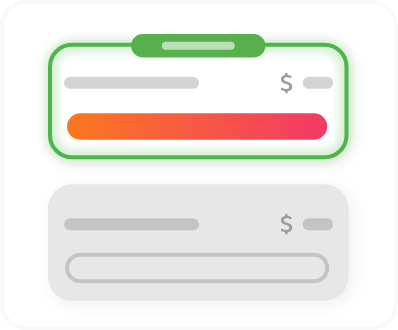
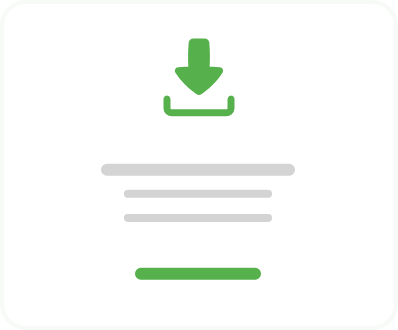
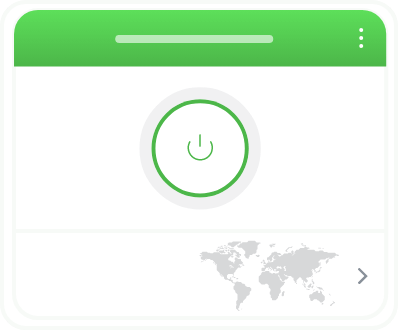
Step 3
Browse on campus Wi-Fi with more privacy and security.
How Does an Eduroam VPN Work?
When you connect to a VPN server, the VPN encrypts all your outgoing and incoming traffic between you and the VPN server. This makes it much more difficult for your Wi-Fi admin or anyone else on your network to monitor your activity. The VPN also masks your real IP address, giving you more privacy online.
Because it makes your activity difficult to monitor, it can also help prevent your network admin from slowing down certain kinds of traffic, such as streaming and gaming.

Why PIA Is the Best VPN for Eduroam

Global Server Network
PIA has VPN servers in 113 countries, making it easy to find one nearby for more private browsing on Eduroam.

Fast Speeds
PIA’s 10-Gbps network helps support smooth browsing, video calls, streaming, and gaming after class on campus Wi-Fi.

Multi-Hop and Obfuscation
Add a second server hop for maximum privacy and mask your VPN use with PIA’s Multi-Hop and obfuscation features.

Unlimited Bandwidth
Research, stream, game online, or download large files as much as you want, as often as you want, with no VPN data caps.
.png)
Best VPN for Privacy
PIA’s No-Logs policy and RAM-only server infrastructure ensures we don’t keep records of your browsing activity data.

24/7 Customer Support
Get help anytime with choosing the right server or configuring advanced settings from PIA’s friendly support team.

What Do Universities Block on Eduroam?
Universities may block sites and apps that use a lot of bandwidth, distract students, or go against campus acceptable-use policies. That can include social media, gaming servers, streaming sites, messaging apps, file-sharing services, or websites flagged as risky.
The exact restrictions depend on your school. Some campuses only block risky or high-bandwidth traffic, while others run stricter filters across student Wi-Fi.
Use Eduroam More Securely On All Your Devices
Add an extra layer of security to your Eduroam connection across all your personal tech. PIA VPN has apps for Windows, Mac, Android, iOS, and Linux, so you can connect your laptop in the library, your phone in the student center, or your tablet in the dorm. Every PIA subscription comes with unlimited simultaneous device connections, so you never have to juggle your active connections.
Eduroam VPN: Frequently Asked Questions
PIA VPN is an excellent choice for Eduroam because it gives you powerful encryption, fast speeds, unlimited device connections, and settings that can help keep your connection stable on restricted university networks. It’s compatible with streaming services and P2P networks, offers obfuscation and other advanced privacy features, and comes with a money-back guarantee for new subscribers.
It depends on how much privacy you need and what you want to do online. Free VPNs often have slower speeds, limited servers, and data caps, making them unsuitable for certain activities. Some free VPNs may log your activity or show ads, which defeats the point of using a VPN for more private campus browsing.
Yes, you can usually use a VPN on university Wi-Fi, including Eduroam. That said, some schools restrict or block VPN traffic, especially if they use strict network controls. It's always best to check your school's policies before using a VPN.
A VPN encrypts all your internet traffic, so while the network administrator may be able to detect VPN use on the network, they won’t be able to track it back to your device. If you prefer to keep your VPN use to yourself, PIA’s obfuscation feature disguises your VPN traffic as regular web traffic, making it much harder to detect.
Schools may ban or block VPNs to enforce acceptable-use policies, reduce bandwidth use, prevent access to restricted sites, or manage security risks on the campus network. These rules vary by university, so it’s worth checking your school’s guidelines and regulations before using a VPN on Eduroam.
Strictly speaking, probably. VPNs are legal in most countries, so long as you don’t use them to break any laws. However, a VPN being legal in your country doesn't mean your school allows VPN use on its Wi-Fi network. Eduroam access is usually covered by your university's acceptable-use policy, so check the rules before relying on a VPN on campus.
Trusted By Millions Of Satisfied Customers
Here's a small sample of our most positive user reviews. All Trustpilot reviews are available here.
{"tweetsBtnText":"{Tweets}","userBtnText":"{User Reviews}","influencersBtnText":"{Influencers}","techReviewsBtnText":"{Tech Reviews}"}REVIEWED BY:


Choose The Plan That's Right For You
 All Plans Are Covered By Our 30-Day Money-Back Guarantee
1 Month
$11.95/mo3 Years + 3 Months EXTRA
$2.03/mo1 Year
$3.99/mo Covered By Our 30-Day Money-Back Guarantee*
All amounts are shown in USD, and any discounts reflect a reduction based on the current monthly service pricing at $11.95 per month.
*The 30-day money-back guarantee is available to new subscribers only; for subscriptions purchased via third-party app stores (e.g., Apple App Store, Google Play Store), refunds are subject to their respective terms and conditions.
Don’t Let the Past
Haunt You®
Try PIA Risk-Free
New users are covered by our 30-day money-back guarantee.
If you’re not satisfied, request a refund.

Per our Terms of Service, using PIA VPN for illegal purposes is prohibited.